Health
Screen Time and Your Eyes: What Long Hours on Devices Can Really Do to Your Eyes
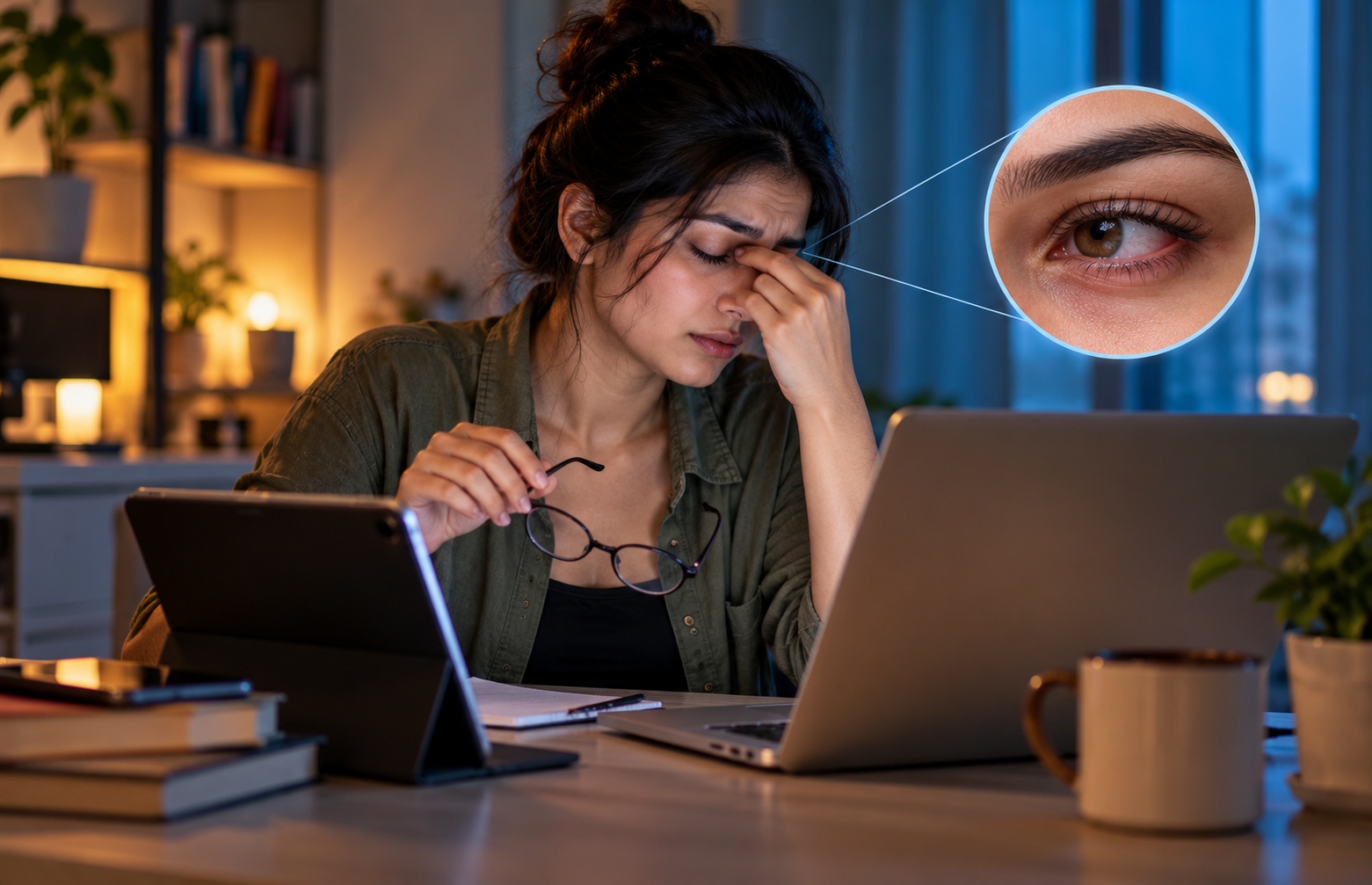

From checking emails and attending online meetings to scrolling through social media, screens have become a constant part of everyday life. While digital devices make work and communication easier, spending long hours looking at a mobile phone, laptop or tablet can leave your eyes feeling tired, dry and uncomfortable. If you regularly experience headaches, blurred vision or irritation after a long day on your devices, your screen habits could be contributing to the problem.
Understanding the effects of screen time on eyes is an important step towards maintaining good eye health. But what actually happens to your eyes when you spend hours looking at a screen, and how can you protect them?
How Does Excessive Screen Time Affect Your Eyes?
Prolonged screen use can cause digital eye strain, also known as computer vision syndrome. This condition occurs when your eyes become tired or uncomfortable after extended periods of focusing on digital displays. Reduced blinking, screen glare, poor lighting and prolonged close-up focusing can contribute to the problem.
Here are some common effects of excessive screen time on eyes.
1. Dryness and Irritation
One of the most common effects of screen time on eyes is dryness. When you concentrate on a screen, you tend to blink less frequently. Blinking spreads tears across the surface of your eyes, keeping them lubricated.
Reduced blinking allows tears to evaporate more quickly, leading to dry, itchy, burning or irritated eyes. Some people may also experience watery eyes as a response to irritation. Taking regular breaks and blinking consciously can help reduce discomfort.
2. Blurred Vision and Eye Fatigue
Your eyes constantly adjust their focus while you read, type or switch between different windows on a screen. Maintaining this focus for long periods can contribute to eye fatigue.
You might notice temporary blurred vision, difficulty refocusing on distant objects or a feeling of heaviness around your eyes after several hours of work. These symptoms may improve when you take a break from close-up activities. However, persistent blurred vision should not be ignored.
3. Headaches and Light Sensitivity
Eye discomfort after prolonged screen use can sometimes develop into headaches, particularly around the forehead or behind the eyes. Glare, excessive brightness, poor contrast and uncorrected vision problems may contribute to these symptoms.
Adjusting your screen settings and improving workstation lighting may help. If headaches continue or become frequent, consider consulting an eye care professional.
4. Neck and Shoulder Discomfort
The effects of excessive screen time are not limited to your eyes. Leaning towards a laptop, holding a phone too close or looking down at a device for extended periods can strain your neck and shoulders.
Maintaining a comfortable posture, keeping your screen at a suitable distance and taking movement breaks can help reduce physical discomfort alongside digital eye strain.
Can Blue Light from Screens Damage Your Eyes?
Blue light from digital devices is often blamed for eye strain and long-term vision problems. However, current evidence does not establish that the relatively low levels of blue light emitted by everyday screens cause permanent retinal damage in humans.
Screen-related discomfort is more closely associated with factors such as reduced blinking, prolonged focusing and glare. However, using digital devices late at night can interfere with your natural sleep cycle.
Blue-light-blocking glasses are therefore not necessarily the solution to digital eye strain. Improving your screen habits and taking regular breaks are more practical first steps.
How to Protect Your Eyes from Excessive Screen Time

You do not have to stop using digital devices to maintain good eye health. A few simple changes can help minimise discomfort.
1. Follow the 20-20-20 Rule
The 20-20-20 rule is one of the most useful eye care tips for people who spend long hours on screens. Every 20 minutes, look at an object approximately 20 feet away for at least 20 seconds.
This gives your eyes a break from prolonged close-up focusing. Setting a reminder on your phone or computer can help you follow this habit consistently.
2. Blink Frequently and Keep Your Eyes Moist
Make a conscious effort to blink fully while working on your laptop or scrolling through your phone. If you experience persistent dryness, an eye care professional may recommend lubricating eye drops, also known as artificial tears.
3. Adjust Screen Brightness and Distance
Position your computer screen approximately an arm’s length away, around 20–26 inches, and slightly below eye level. Adjust the brightness to suit your surroundings and increase text size if you find yourself squinting.
Reducing reflections from windows and overhead lights can also help minimise eye strain.
4. Reduce Screen Time Before Bed
Using your phone late at night can delay sleep, especially when the screen keeps you alert. Try putting your devices away 30–60 minutes before bedtime and switching off unnecessary notifications.
Night mode may make evening viewing more comfortable, but reducing screen use before sleep is a more direct way to limit its impact on your sleep routine.
5. Spend More Time Outdoors
For children and teenagers, balancing screen use with outdoor activities is particularly important. Research suggests that spending more time outdoors may help reduce the risk of developing myopia, or short-sightedness, during childhood.
Encourage outdoor activities and regular breaks from prolonged near work instead of relying only on screen filters.
When Should You See an Eye Specialist?
Occasional tired eyes after a long day on your laptop are common. However, consult an optometrist or ophthalmologist if you experience persistent blurred vision, recurring headaches, ongoing dryness, redness or light sensitivity despite changing your screen habits.
Seek urgent medical attention for sudden vision loss, severe eye pain or significant sudden changes in your vision. These symptoms should not automatically be attributed to screen use.
An eye examination can help identify underlying vision problems, dry eye disease or other conditions that may require treatment.
Conclusion
Understanding the effects of screen time on eyes is essential when digital devices are part of your everyday routine. Prolonged screen use can contribute to dry eyes, blurred vision, headaches and eye fatigue, but these symptoms can often be reduced through regular breaks, proper screen positioning and healthier digital habits.
Rather than worrying about every minute spent on your phone, focus on how you use your devices. Follow the 20-20-20 rule, blink regularly, take time away from screens and prioritise adequate sleep. Small, consistent changes can make screen use more comfortable and help you look after your eye health in the long run.
Tags
Related Posts




Sports
How Sports Leagues Are Creating New Career Opportunities Beyond Athletes
Sports leagues are no longer defined solely by the athletes competing on…

Travel
How Railway Journeys Are Becoming Part of the Travel Experience Again
There was a time when a train journey was simply a way…
Business
The Subscription Economy: Why We’re Paying Monthly for Everything
Remember when buying something meant paying for it once and using it…